

4G+64G Android 13 Car Radio for Ford F150 2009 2010 2011 2012 2013 2014, 9.7" Touch Wireless Carplay&Android Auto Support Touchscreen Radio Upgrade with AHD Camera,GPS Navigation,SWC,WiFi,FM
Product details
| Management number | 239343621 | Release Date | 2026/07/14 | List Price | US$67.20 | Model Number | 239343621 | ||
|---|---|---|---|---|---|---|---|---|---|
| Category | |||||||||
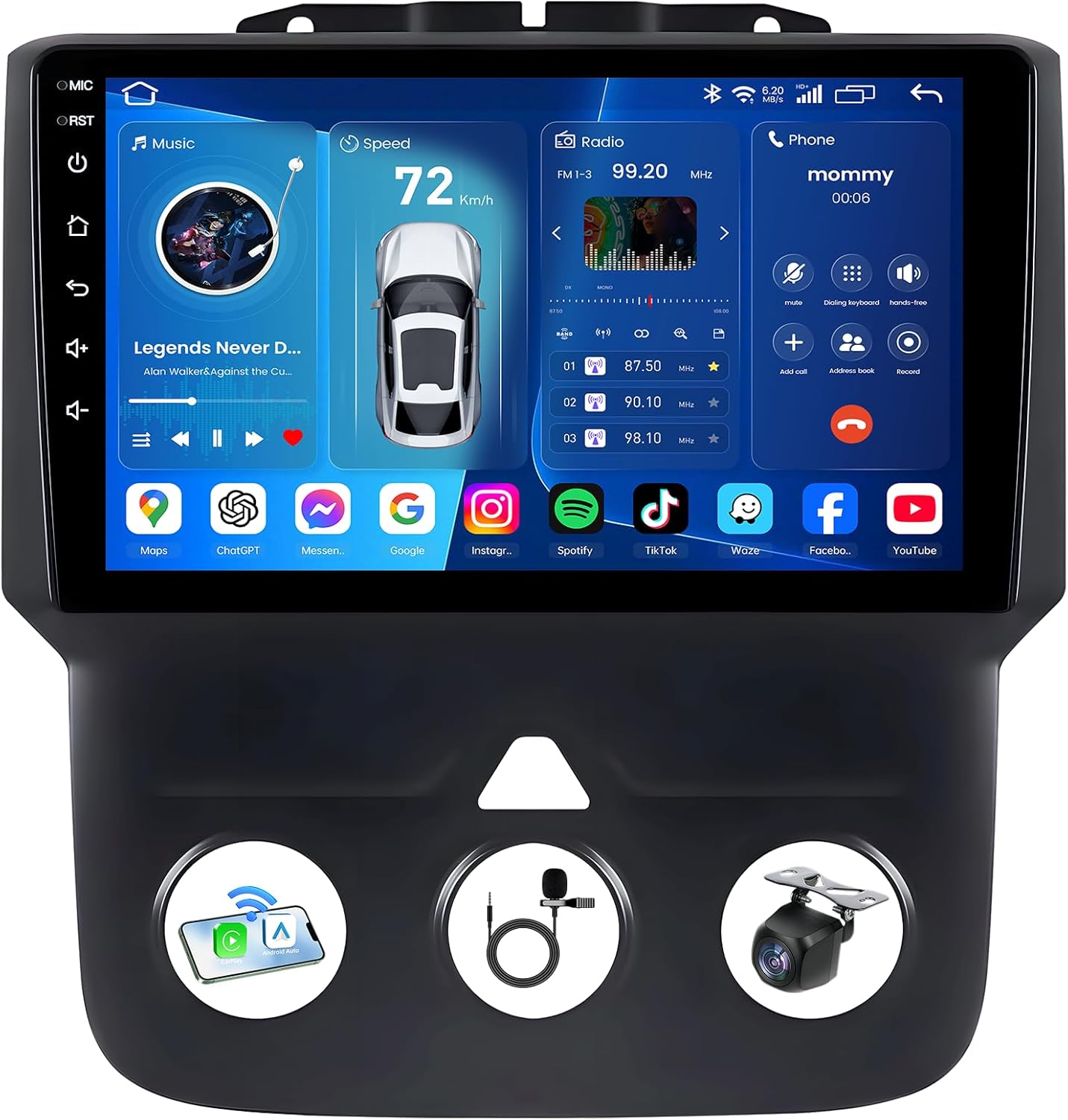
FITMENT9.7" Car Stereo Radio for Ford F150 2009 2010 2011 2012 2013 2014 COMMON PROBLEMS: The signal of Bluetooth or Wifi is weak or it doesn't work? Connect the camera input cable or shorten two blue wires of camera input cable. Can't connect the Bluetooth? 1.Turn on your phone's Bluetooth before you turn on the radio. 2.Delete the Bluetooth connection record on your phone and reconnect it again. Canbus Setting: After connecting the CANBUS, please set the protocol correctly then the steering wheel controls can work. Setting path: click ‘car setting-factory setting-enter the password 8888 or 3368-protocol setting, choose the year and model of your car. How to reach to EWLSAC support? 1.Click our store name ‘CZD-STORE'. 2.Click ‘Ask/a/Question' 3.Send us the photos or videos of the problems you met. FEATURES Apple Carplay & Android AutoAfter connecting your smartphone to the car via USB or Bluetooth, you can access key features such as phone calls, messages, music and navigation apps. Using your phone's voice assistant, you can perform hands-free operations such as replying to text messages or changing music, allowing you to focus on driving. Mirror LinkMirror Link allows you to connect your smartphone to the car stereo and project the phone's display onto a larger screen, allowing you to seamlessly access navigation apps, music players and messaging services simply by connecting via USB or Wi-Fi without having to pick up your phone. Built-in GPS NavigationThe Android car stereo integrates GPS technology, allowing you to access real-time maps and directions, and supports online and offline navigation. Built-in WIFIYou can surf the Internet, and stay connected with social media, making your journey safer and more enjoyable. And you can download the app you like. Reversing CameraWhen the vehicle is reversed, the car radio automatically switches to display the reversing image, giving the driver a clear view of obstacles behind. Reversing assist lines provide visual guidance to facilitate safe parking. Steering Wheel ControlsDesigned to enhance the driving experience, the car stereo's steering wheel controls allow you to quickly adjust volume, select tracks, adjust radio stations and playback settings without taking your hands off the steering wheel. Bluetooth ConnectivityThe Bluetooth feature allows your smartphone to seamlessly connect to the car stereo for Bluetooth hands-free calling and wireless music playback. FM RadioThe FM radio offers higher fidelity sound quality. It operates in the frequency range of 87.5-108.0 MHz. The FM radio has a quick save feature that allows you to save your favorite stations for quick access. Split ScreenThe split screen feature allows you to use two screen applications at the same time, and you can control music playback while watching navigation instructions. EQ/HiFi FunctionHigh fidelity reproduces the original sound to a large extent, and the equalization function allows users to customize the sound settings according to personal preferences or specific music genres, bringing you a wonderful auditory feast.
- 【Applicable Models】This head unit perfect fit for For Ford F150 2009 2010 2011 2012 2013 2014. Please send us your car's model, produce year and a car dashboard picture by Amazon chat, we will help you to check if this car stereo is suitable for your car. If you have any installation issues, you can reach out to our professional technical support team.
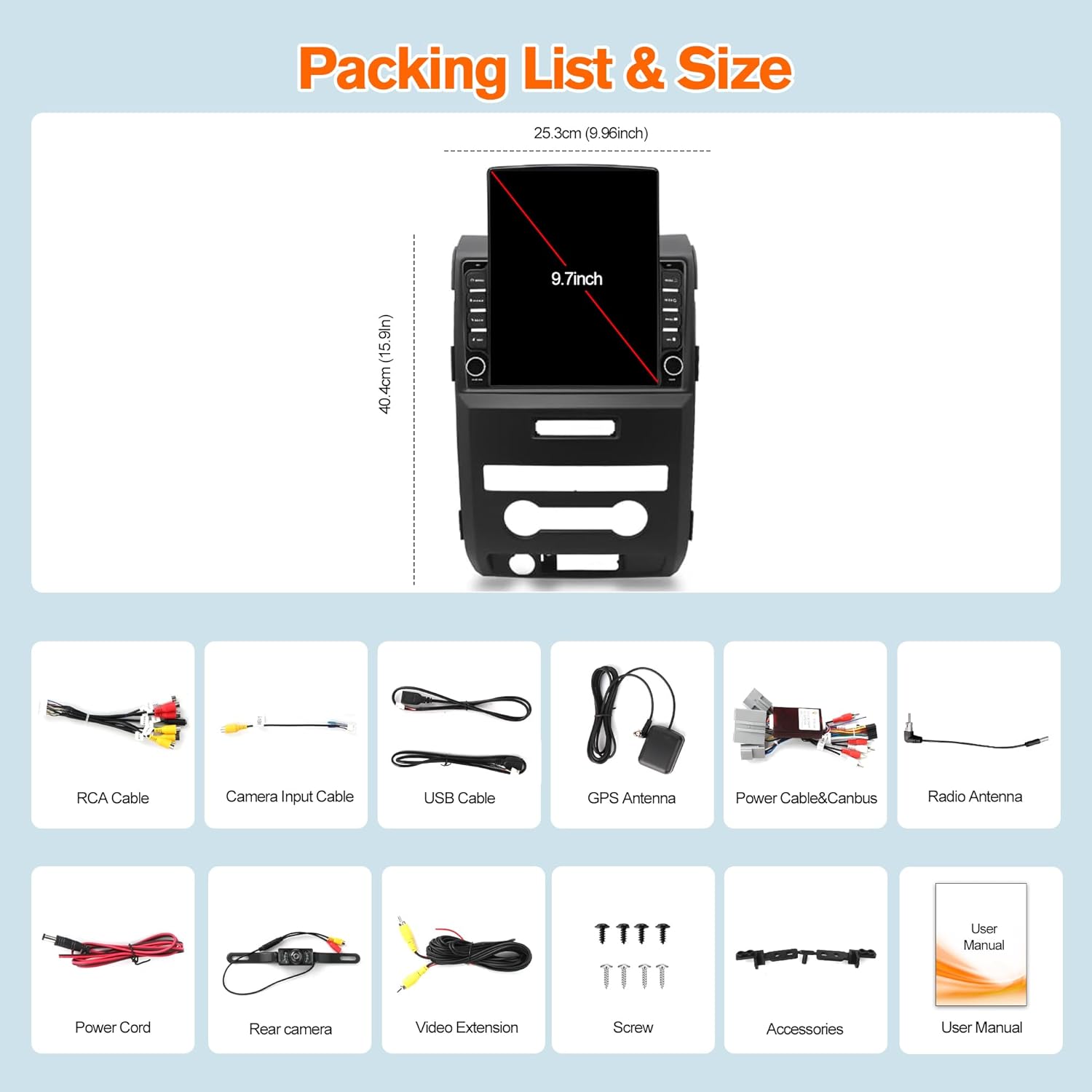
- 【Android 13 Car Stereo System】Upgrade stereo for Ford F-150 is Equipped with newest Android 13 system, 4G RAM and 64G ROM, which ensure you a smooth use experience and you can download multiple apps without lagging. Equipped with 9.7 inch 1024*600 high resolution IPS touch screen, enjoying vivid and crystal-clear image.
- 【Wireless CarPlay & Android Auto & Mirror Link】Connect your phone to the touchscreen for Toyota RAV4 via USB data cable or Bluetooth to reach your phone's apps and features like GPS navigation, messages, music etc. Wake the voice control assistant to help your operation when keeping your hands on the steer wheel in driving. Support mirror link function, it can synchronously display the content to the screen. You can enjoy the funny, interesting video, picture, music during journey.
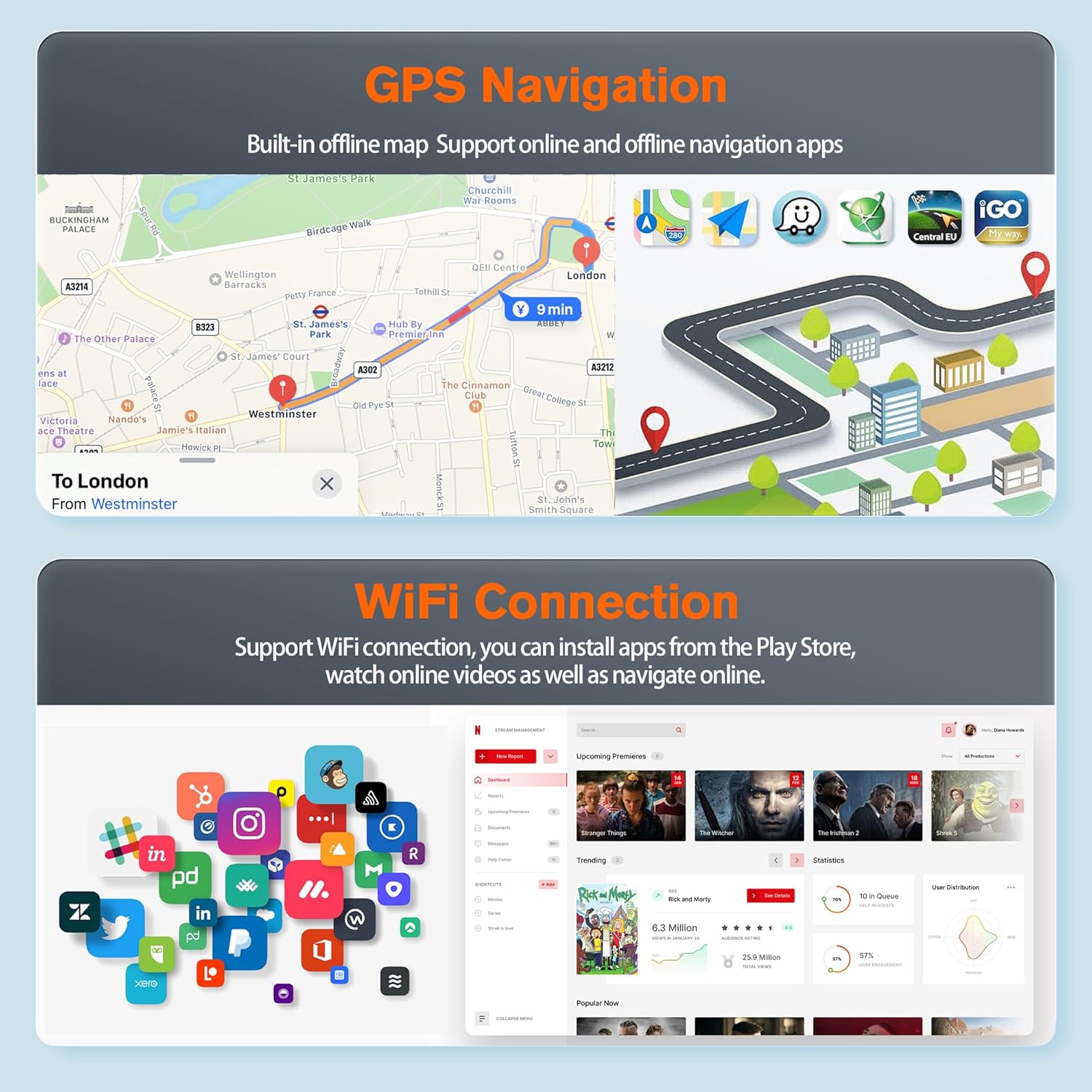
- 【GPS Navigation & WiFi】The car radio replacement for Ford F150 with built-in GPS navigation app that allow both online and offline maps. By connecting to the WiFi or hotspot, you can download the map data in advance for your next trip, or you can enjoy the online map to check the real-time road condition that helps you plan your route and avoid traffic jams. With wifi or hotspot, you also can surf the web and download the apps.
- 【EQ DSP & Bluetooth & FM Radio】EQ DSP function reproduce the sound that highly similar to the original sound of the vehicles. Android stereo for Toyota Rav4 with Bluetooth supports receiving and making phone calls, playing music and synchronizing contacts. FM Radio with 18 preset radio stations allowing you to listen the weather forecasts, real-time traffic and new broadcasts.
| ASIN | B0G18XJJG6 |
|---|---|
| Brand | GDMOTUPART |
| Map Types | Online and Offline Maps |
| Unit Count | 1.0 Count |
| Screen Size | 9.7 Inches |
| Display Type | IPS |
| Manufacturer | GDMOTUPART |
| BuiltIn Media | AHD Camera |
| Mounting Type | Dashboard Mount |
| Control Method | App, Touch, Voice |
| Additional Features | Wireless CarPlay, Android Auto, Mirror Link, GPS Navigation, WiFi, FM Radio, EQ DSP, Bluetooth, Steering Wheel Controls, Reversing Camera, Split Screen |
| HumanInterface Input | Microphone, Touchscreen |
| Are Batteries Included | No |
| Connectivity Technology | Bluetooth, USB, Wi-Fi |
| Memory Storage Capacity | 64 GB |
| Compatible with Vehicle Type | Car, Truck |
| Supported Satellite Navigation System | GPS |



Bestseller ranking
Shakespeare Literary Criticism Books

Customers who viewed this product also viewed
Car Stereo Receivers




Correction of product information
If you notice any omissions or errors in the product information on this page, please use the correction request form below.
Correction Request Form